
Mac & These
Mac & These
All apps

Itsytv

Control your Apple TV from the Mac menu bar.

Get Itsytv
View on the Mac App Store

Free, or $4.99 on the App Store

  • Media
  • Apple silicon
  • Menu bar
  • macOS 14.0+
  • v1.6.1
  • Mac App Store
  • Direct download
  • Homebrew
  • Updated Sep 2026
  • by Nick Ustinov
  • Checked Sep 2026
Made Itsytv? Get the badge
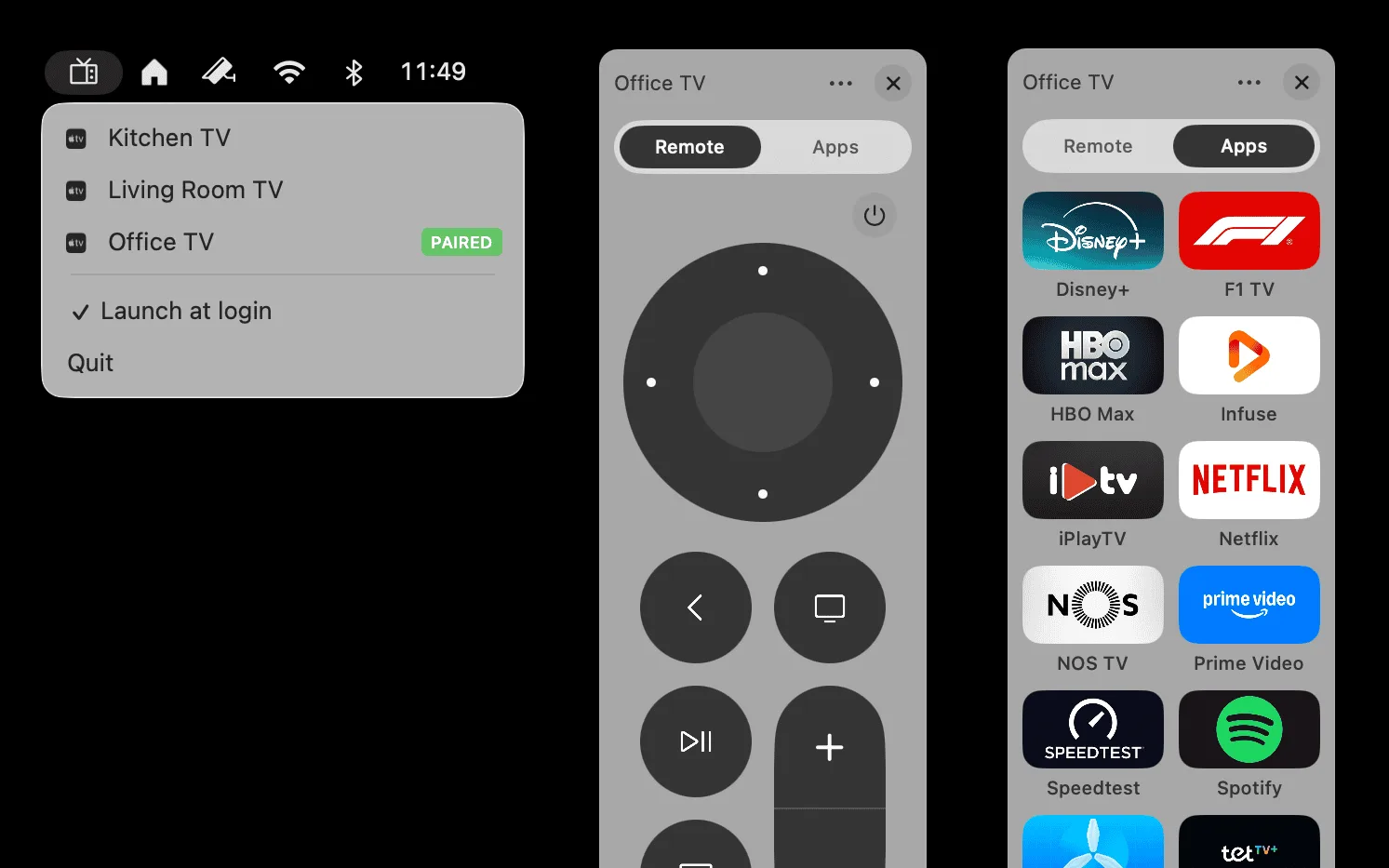
The menu bar list of paired Apple TVs, next to the remote panel and the app launcher

Why it's here

TypingasearchintoanAppleTVwitharealkeyboardisworththedownloadonitsown.

About Itsytv

Itsytv is a menu bar remote for Apple TV: a d-pad, playback and volume controls, a keyboard for search fields, and what’s playing now. It also launches apps and handles several Apple TVs.

More like this

  • Backtrack

    Save the last hour of audio after it happened.

    “It quietly records in the background, so the moment you think “I wish I’d recorded that”, you already have.”

    Free + ProMenu bar

    The menu bar popover listing saved recordings
  • DisplayBuddy

    Monitor brightness, volume and inputs from the menu bar.

    “External monitors come with the worst buttons ever designed. DisplayBuddy puts every one of them in your menu bar, and presets switch a whole desk setup in one click.”

    Pay onceMenu bar

  • Haptiker

    Slide along a trackpad edge to set volume, brightness or keyboard light.

    “The quickest volume control on your Mac is the trackpad your hand is already on. One finger along the edge, a soft tick at every step, and it even dims your external monitor and lights the keys.”

    Pay onceMenu bar

New picks, every week.

One email, a few new picks, an honest take on each. No spam, ever.

We email you once to confirm. Unsubscribe from any issue. Privacy

Collections

  • First apps on a new Mac
  • Menu bar all-stars
  • Make your Mac feel like yours
  • Keep an eye on things

Makers

  • Submit an app
  • Get the badge

Mac & These

  • All apps
  • All collections
  • About
  • Privacy

Every app picked by hand. Sponsors are always marked.

MAC & THESE